
Design an iPhone app.
On your iPhone.
No PC required. Design your app the way it actually works — and see it live, right now, in your hand.


Building an app is hard
One idea. Three jobs.
Five tools.
Plan it — in a doc nobody reads twice.
Design it — in a tool that can't run it.
Build it — and find out half of it can't be built.
Three teams, five tools, and a handoff at every step — where ideas get lost and rework begins.
A beautiful design that doesn't run
is still just a picture.
However well you design it, making it work is a completely different problem.
And most of “building” is the same work, over again.
Screens. Lists. Forms. APIs. Every app repeats them — and every team rebuilds them from zero.
No PC.
No Mockups.
Layerz — design your app the way it works.
Native design, pre-built behaviors. A little to learn, nothing to fear.
How it works
An app is design, data, and behavior.
Layerz is all three — running.
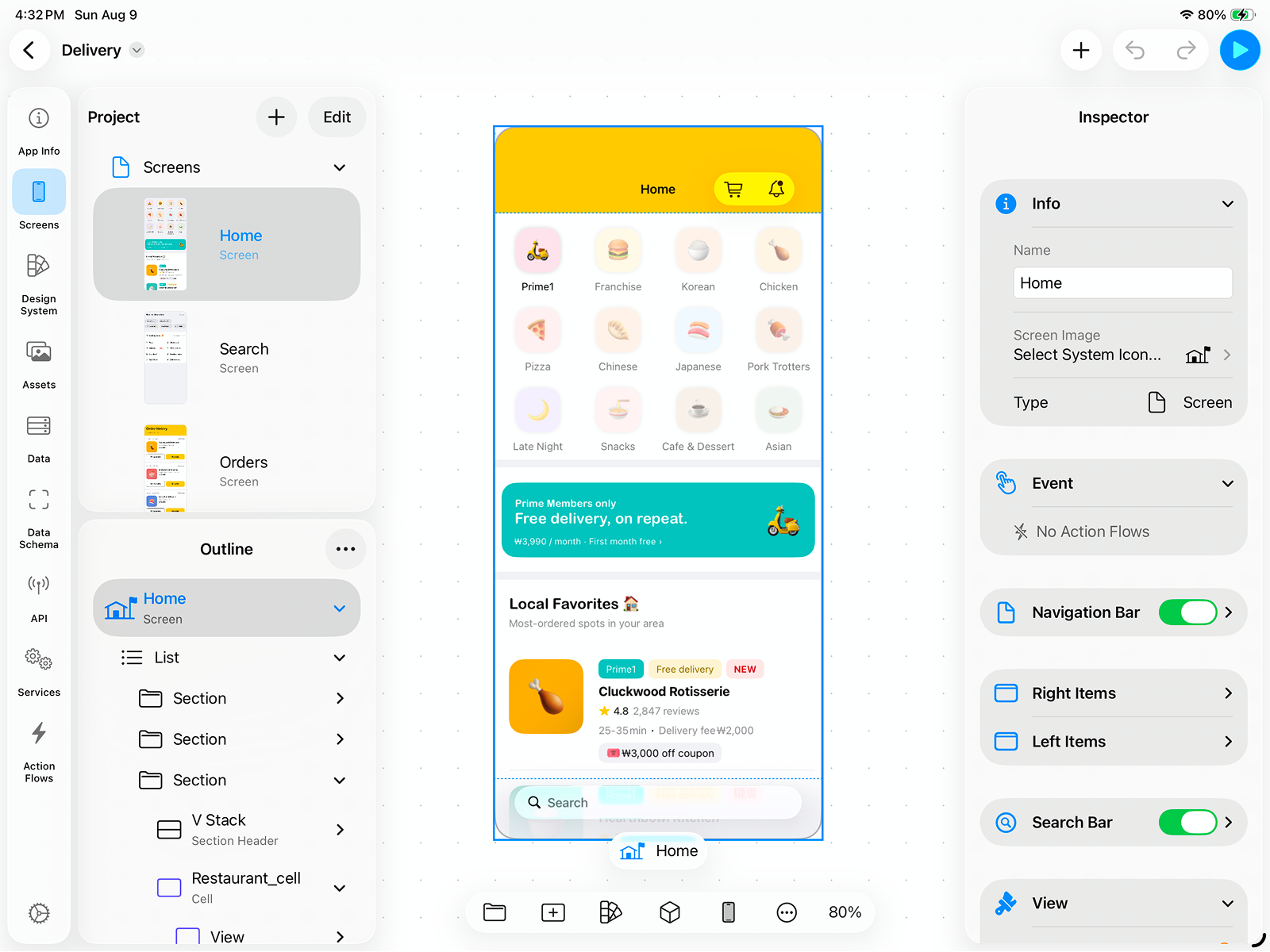
Design
Draw with real native components. Auto Layout, stacks, lists, tabs. What you draw is the app.
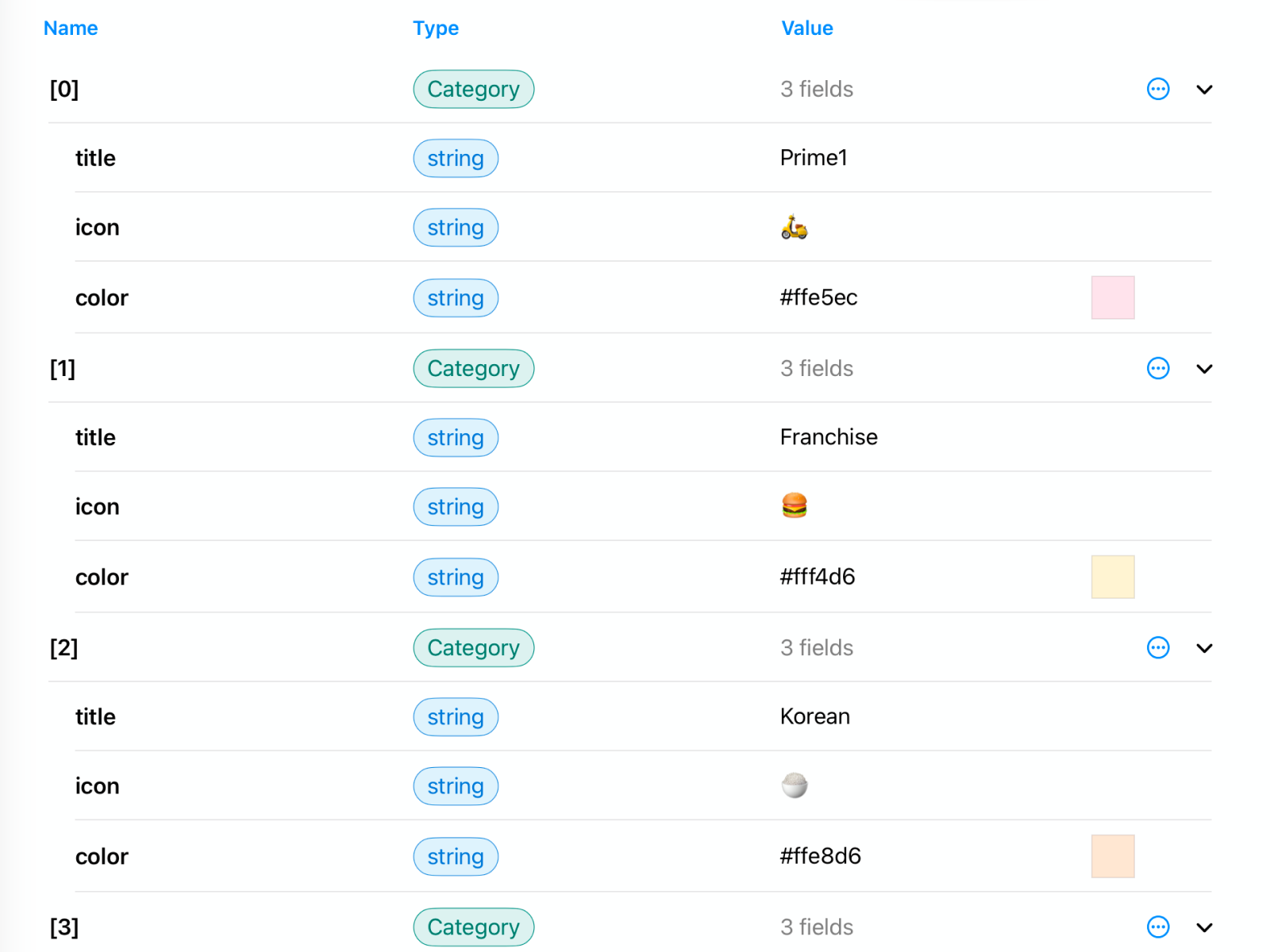
Data
Define your data, bind it to the screen. Change the data — the screen follows. This is where a mockup becomes an app.
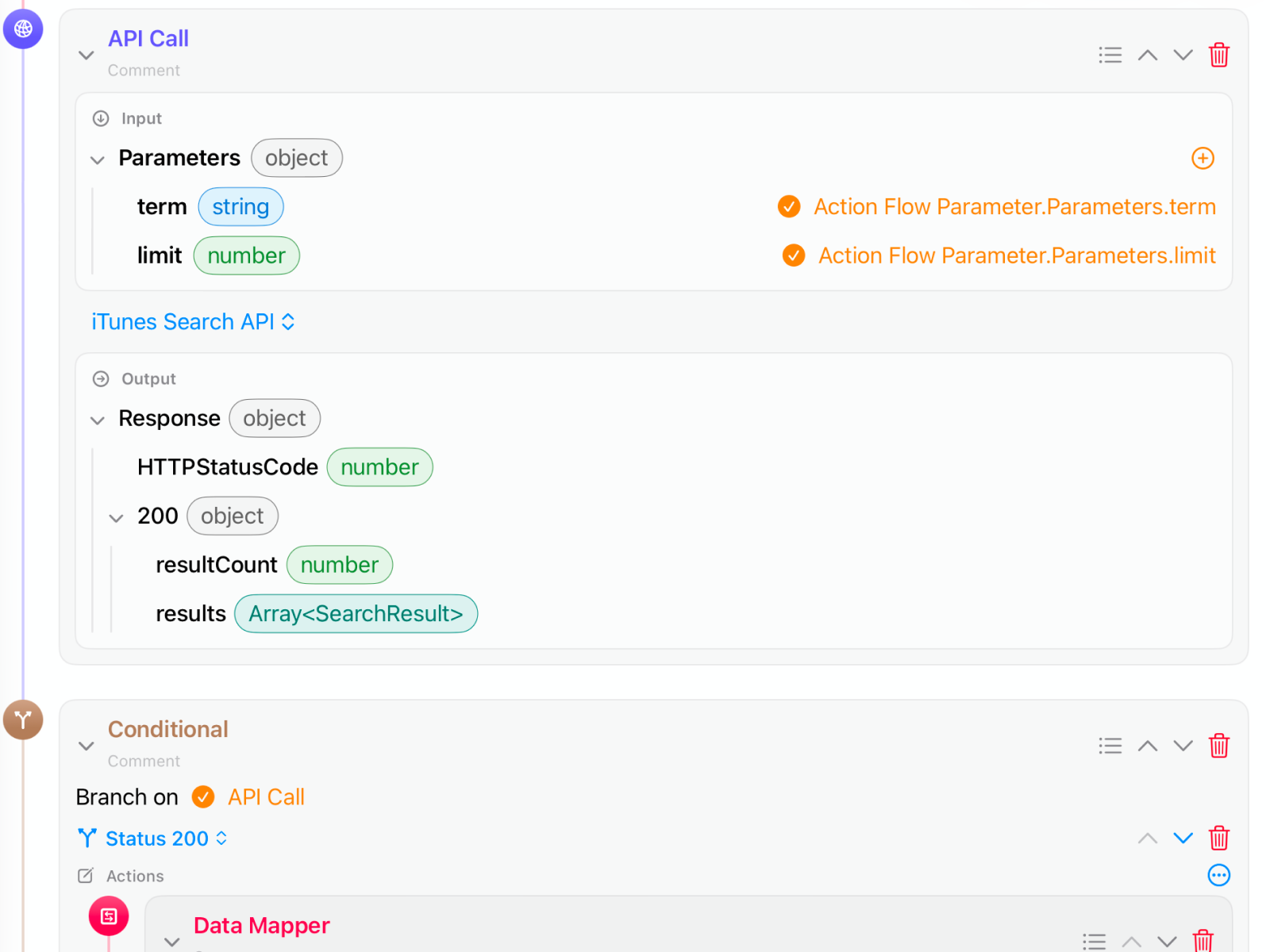
Behavior
Action Flow: tap → navigate, load, branch, call a real API. “If this, then that.”
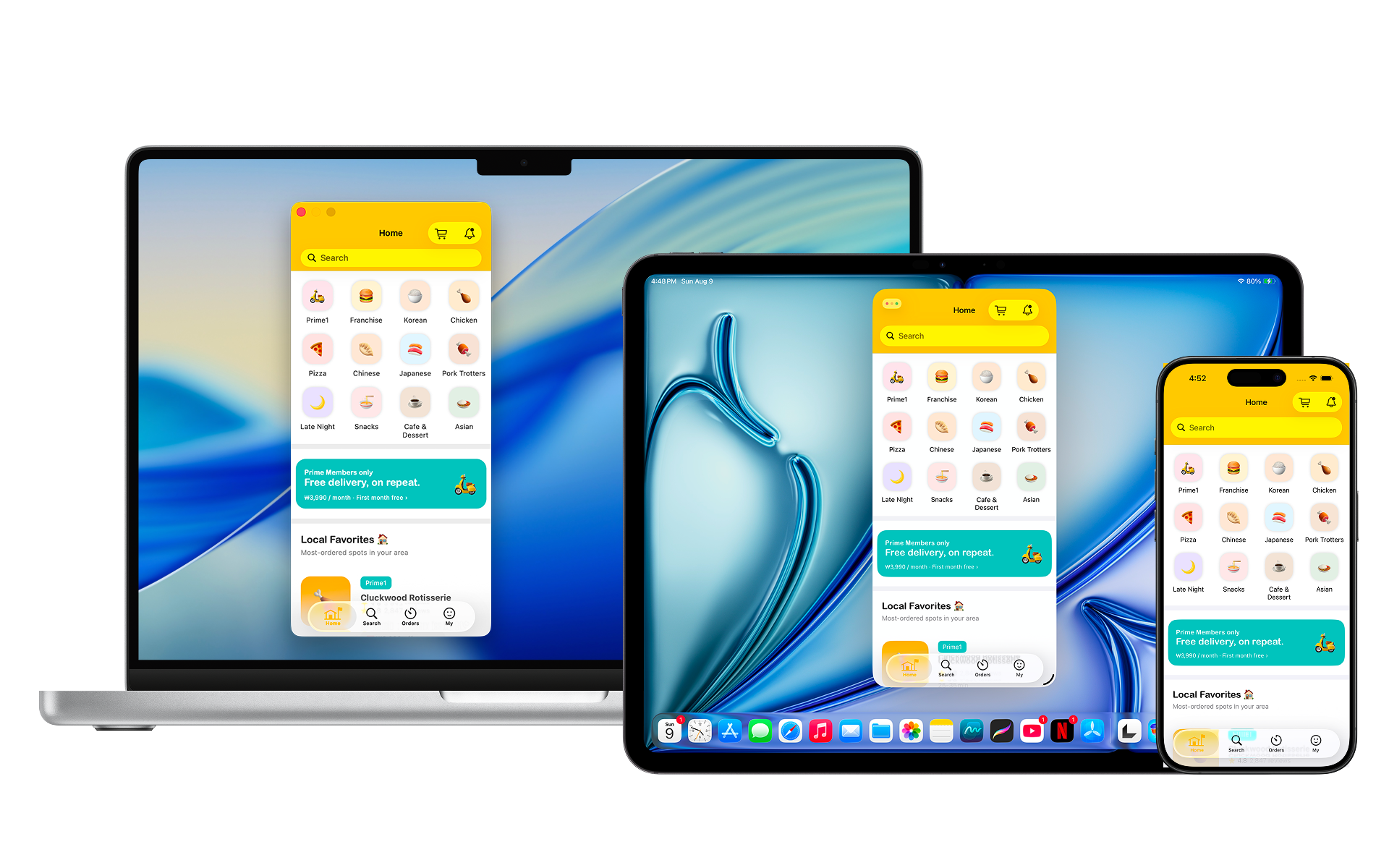
Run
No build step. No waiting. It just runs — on iPhone, iPad, and Mac. Share the file; anyone can run it.
The difference
Prototypes pretend.
Layerz apps run.
Other tools
- Screens that look tappable
- Fake data, hardcoded text
- “Imagine an API here”
- Export → hand off → rebuild
Layerz
- Native components that actually respond
- Your data model, live-bound to UI
- Real API calls with real responses
- The design is the app. Run it.
Built on native iOS — not a web page in a frame.
Who it's for
Whatever seat you're in,
you design the real thing.
Planner
Plan screen by screen. Define the data, connect it — your plan is the app.
Designer
Design with the real components. A few limits, yes — but what you design is what you get. No more “we can't build this.”
Server Developer
Backend done, no iOS client? Import your OpenAPI spec, bind the responses, and hand over something that runs — today.
Solo Dev
Prototype fast, then keep going — all the way to a finished, working design.
Hobbyist
Camera, location, sensors, media. Design the fun little app you always wanted.
If your backend is already done
Your API works.
Your iOS client doesn't exist yet.
That gap usually costs a hire, a contract, or a month of Xcode. Layerz reads the API you already shipped and gives you a native client you can put in someone's hands the same day.
Import the spec
Point Layerz at your OpenAPI or Swagger file. Endpoints, parameters, response schemas, and enums arrive as real models. No spec? Send a test request and Layerz builds the schema from what comes back.
Bind the response
Drop a response field onto a label, a list, a chart. Change the data and the screen follows. Bearer, Basic, API key and OAuth 2.0, plus timeouts and retries, are settings — not another afternoon of client code.
Wire the behavior
Action Flow makes the call on tap, branches on the status code, and shows the result. Loops, guards, and error arms included, all on a visual canvas.
Hand it over
It runs on iPhone, iPad, and Mac with no build step. Send the file and your client runs exactly what you ran, for free, on their own device.
The screen your client signs off on is the screen your API is already answering.
See how the import works →Features
Everything your app design needs.
Already built in.
Action Flow
Navigate, change data, branch on conditions — “if this, then that.” Connect a flow to any event.
Live API
Import an OpenAPI or Swagger spec with auth and retries, then bind live responses straight to your screens.
Data & Transformer
Design your own data model, bind it to UI, and map API responses to your screens on a visual node canvas.
Camera & Live Filters
A real camera view with 38 chainable filter effects — capture straight into your data or Photos.
Device Services & Media
React to timers, battery, and connectivity. Bring in Lottie animations, video, and audio.
Design System
Color and typography tokens, grouped into themes. Switch the theme, re-skin the whole app — light and dark included.
FAQ
Questions, answered
- Do I need to know how to code?
- No. You design visually, define data, and add behavior with Action Flow. If you can describe what your app should do, you can design it.
- Is this just clickable mockups, like other prototyping tools?
- No. Layerz designs are fully interactive. They use real native components, hold real data, run real logic, and can call live APIs — so what you design behaves like the real thing, not a slideshow.
- What can my app connect to?
- Any HTTP API. Import an OpenAPI 3.x or Swagger 2.0 spec (or a JSON Schema) from a file or URL, configure auth and retries, and bind the responses straight to your screens.
- Which devices does it work on?
- iPhone, iPad, and Mac. It's one project you can pick up and continue on any of your Apple devices, and you can switch device and theme while you design.
- Can I share what I build?
- Yes. Share your .layerz file and anyone with Layerz can open it and experience your design for free.
- How much does it cost?
- Layerz is free to download and try on the App Store and Mac App Store. Start designing today.
Your iPhone is the only tool
you need.
Free on iPhone, iPad, and Mac. Build your first app before your coffee goes cold.


Get build tips & updates — no spam, unsubscribe anytime.