Scan, mark up,
fix any PDF
A document scanner with automatic text recognition, a PDF viewer with pen, highlights and signatures, and every PDF tool you need — all on your device.

Features
Everything for your PDFs
Scan, read, write on, and fix PDFs — all in one place.
Scan to PDF
Document Scanner
Point the camera at a page; edges are found and the page is straightened. Scan many pages in one go.
Automatic Text Recognition
Scans become searchable, selectable PDFs, recognized on your device.
QR Codes and ID Cards
Read QR codes on scanned pages, and put both sides of an ID card on one page.
Read and Mark Up
Pen, Highlighter and Notes
Write with Apple Pencil or your finger, highlight, underline and strike through text, and add notes.
Signatures, Shapes and Stamps
Draw your signature once and place it anywhere, with shapes, arrows and stamps.
Move and Resize
Select anything you added to move it, resize it or delete it.
Edit Pages
Reorder, rotate, insert and delete pages right in the viewer.
Comfortable Reading
Search, contents and bookmarks, night mode, and read aloud.
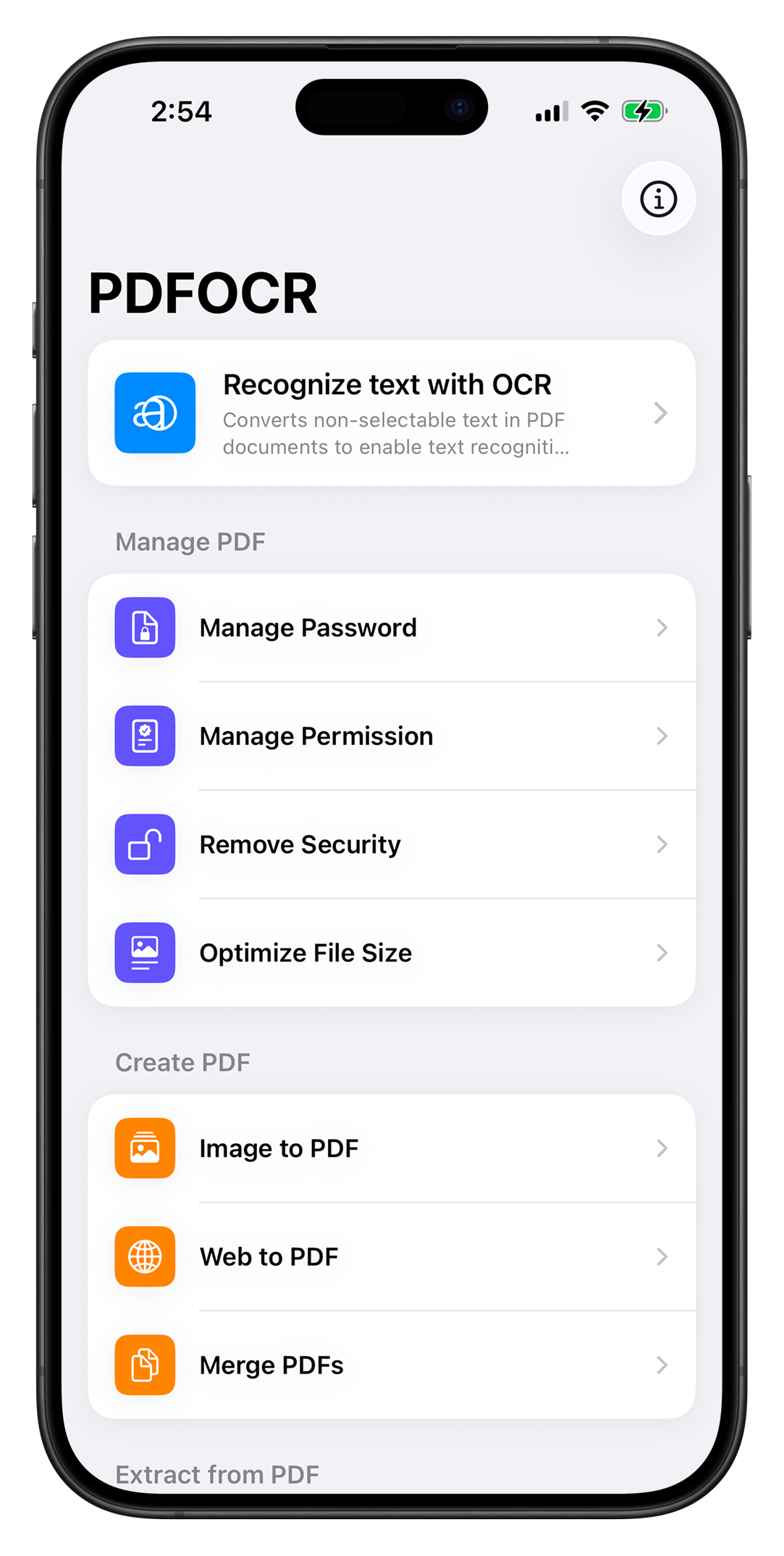
Recognize Text
Recognize Text with OCR
Make scanned PDFs searchable and selectable with on-device OCR. Free up to 30 pages per document.
Manage PDF
Manage Password
Add or change password protection to keep your documents secure.
Manage Permission
Control who can print, copy, or modify your PDF documents.
Remove Security
Remove existing password and permission restrictions from your PDFs.
Optimize File Size
Compress PDFs to reduce file size while maintaining quality.
Create PDF
Image to PDF
Convert single or multiple images into a clean, organized PDF document.
Web to PDF
Capture any web page and save it as a perfectly formatted PDF.
Merge PDFs
Combine multiple PDF files into a single document in any order.
Extract from PDF
Split PDF
Pull out the pages you pick; with Pro, split by ranges, every N pages, or after marked pages.
PDF to Image
Export PDF pages as high-quality PNG or JPEG images.
Extract TXT
Pull plain text content from any PDF for easy reuse.
Extract RTF
Extract rich formatted text preserving styles and layout.
PDF OCR Pro
More power when you need it
Scanning, markup and the everyday tools are free. Pro adds tools for long documents and sensitive files. Choose monthly, yearly with a 7-day free trial, or a one-time lifetime purchase.
Used PDF OCR before version 3.0? Everything you could do then stays free for you.
- OCR without page limits
- Redaction that removes content for good
- Watermarks and page numbers
- Face ID lock
- On-device summaries and translation
- Shortcuts actions
- Advanced split and smart scan names
Your documents stay on your device
Scanning, text recognition, redaction and summaries run on your iPhone or iPad. No account, no uploads. Privacy policy
Simplify your PDF workflow
Stop switching between apps. Scan, sign and fix PDFs in one place.