
macOS & iOS
Layerz
Markdown
A lightweight Markdown viewer and editor built for people who work with Markdown files every day. View, edit, and organize — all in one place.
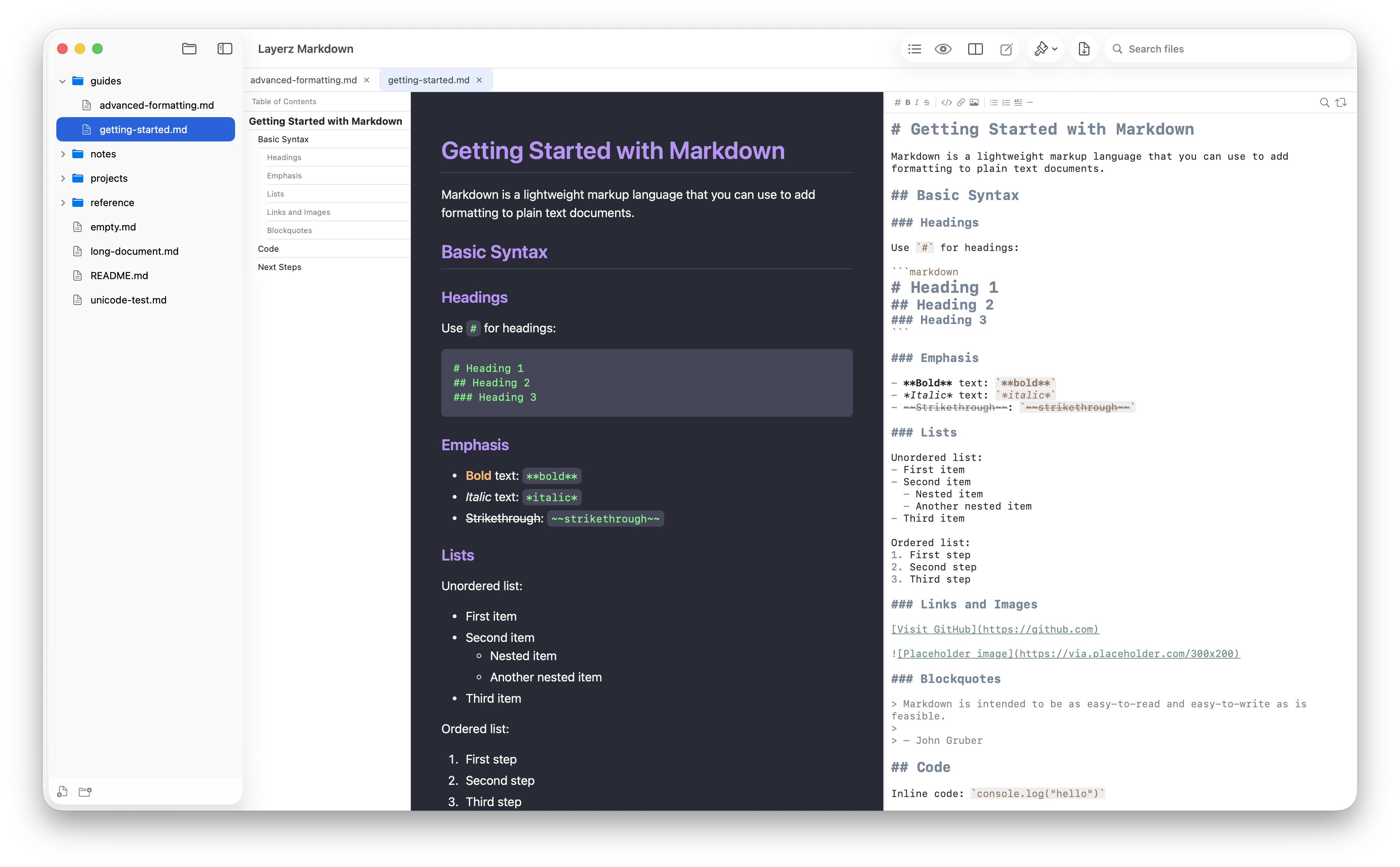
Simple, powerful, and fast
Everything you need for Markdown — nothing you don't.
GitHub Flavored Markdown
Beautiful rendering powered by marked.js. Tables, task lists, code blocks — all supported out of the box.
Syntax Highlighting Editor
Write with a full-featured editor. Formatting toolbar, find & replace, and muted color palette that's easy on the eyes.
Folder Sidebar
Open any folder and browse files in a tree view. Lazy-loading keeps large directories fast. Real-time file watching reflects external changes instantly.
PDF Export
Export your rendered Markdown to PDF with a single shortcut. Share your documents anywhere.
5 Preview Themes
GitHub, Serif, Minimal, Solarized, and Dracula. Pick the look that fits your workflow, with automatic Light and Dark mode support.
Keyboard-First
3 display modes, tab-based editing, CLI support, and keyboard shortcuts for everything. Built for people who live in the keyboard.
Three ways to work
Switch between Viewer, Editor, or Side-by-Side mode with a single shortcut.
Default
Viewer Only
Focus on reading with beautiful rendered output.
⌘E
Side by Side
Edit and preview simultaneously. See changes in real time.
⌘E ×2
Editor Only
Full-screen editing with syntax highlighting.
Your Markdown, beautifully rendered
Available on macOS and iOS. Open any .md file and start working.